
AI-Powered Irrigation Intelligence
Telemetry Insights devices don't use timers or fixed schedules. Every irrigation decision combines real soil moisture data, localized daily weather forecasts, crop science, and — after 90 days — a machine learning model trained on your device's own history. This guide explains how every layer works.
How Telemetry Insights AI Makes Every Irrigation Decision
Four intelligence layers — working together, every night, automatically
Data Sources
Soil Sensor
Real-time root-zone
moisture, temperature,
humidity & pressure
Daily Weather
Localized forecast via
3rd Party Weather API
rain probability & ET₀
Your History
Every irrigation event
recorded from day one
at your location
AI Intelligence Engine
Soil Science
Computes your correct irrigation threshold from USDA soil data + your plant type — not a guess
Weather
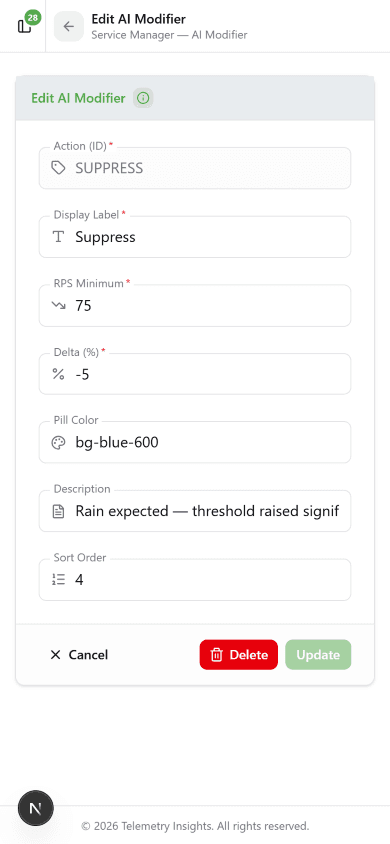
Adjusts daily based on rain forecast and heat demand — assigns SUPPRESS, DELAY, NORMAL or BOOST
Machine Learning
After 90 days, XGBoost trains on your local history and refines every decision automatically
Today's Irrigation Decision
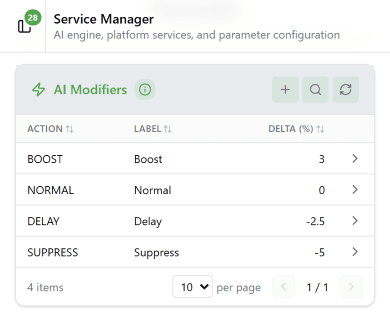
Rain is coming — significantly raise threshold to prevent watering
Rain possible — raise threshold, water less
No change — base threshold in use
Hot & dry — lower threshold, water more
Solenoid opens exactly when needed — and not a moment sooner
Right amount of water · Right time · Right plant · No manual intervention
Your AI Gets Smarter Over Time
Day 1
Soil science + weather active immediately
Day 30
Irrigation history building
Day 90
XGBoost model trained and validated
Ongoing
ML decisions continuously improve
The Three Watering Modes
Two toggles on the device detail screen control the active mode: AI and Manual. When AI is on, Manual is disabled. Turn AI off to enter Threshold mode — that enables the Manual toggle. To run a manual cycle, set the watering duration first, then toggle Manual on. Toggle Manual off to stop and return to Threshold mode.
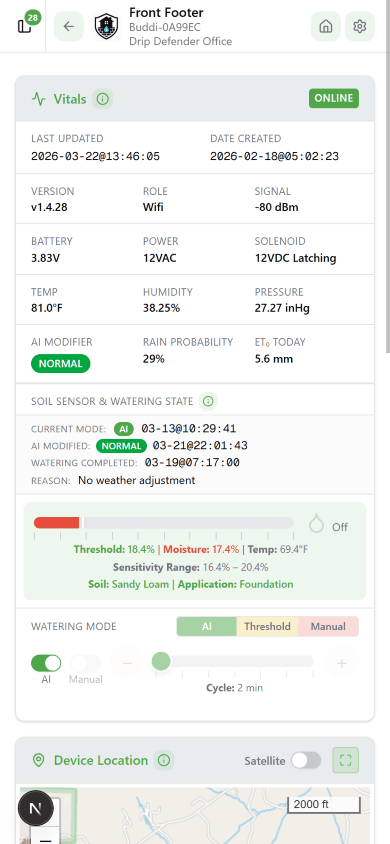
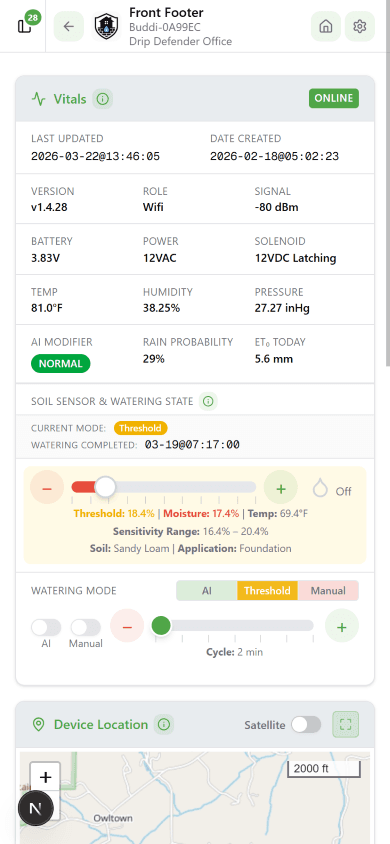
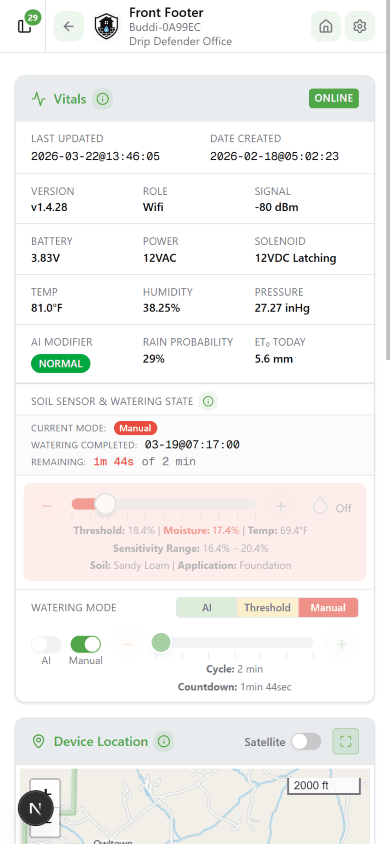
🤖 AI Mode
AI toggle on. Thresholds computed from soil science, adjusted nightly by weather. Manual toggle disabled.
📊 Threshold Mode
AI toggle off, Manual toggle off. Watering triggers when moisture drops below your set threshold.
🔧 Manual Mode
AI off, Manual toggle on. Set duration first, then toggle on. Toggle off to stop and return to Threshold.
The Watering Mode indicator at the bottom of the vitals card shows the current mode — AI, Threshold, or Manual — and pulses while active. Use the AI and Manual toggles to change modes.
Long Watering Protection
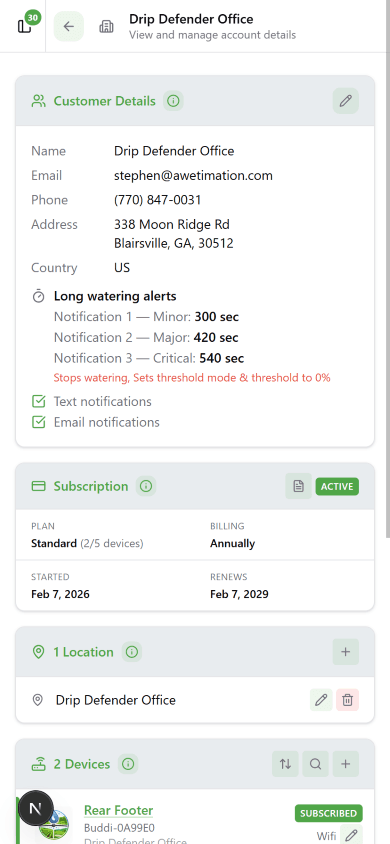
All devices include built-in protection against runaway irrigation — a stuck solenoid, a downstream leak, or a threshold that keeps re-triggering. Three escalating alert thresholds are configured per customer account under Customer Details → Long Watering Alerts.
⚠️ Minor — 300 sec
Push notification sent. Watering continues — this is an early heads-up that the cycle is running long.
🔶 Major — 420 sec
Second notification sent. Watering still running — customer should check the device or manually stop from the app.
🚨 Critical — 540 sec
Watering stopped automatically. Device switches to Threshold mode with threshold set to 0% — no automatic watering until the customer reviews and re-enables.
Notifications are delivered via push notification and email — both configurable per customer account. The critical shutoff is automatic and does not require the customer to be watching the app.
Setting Up AI Mode
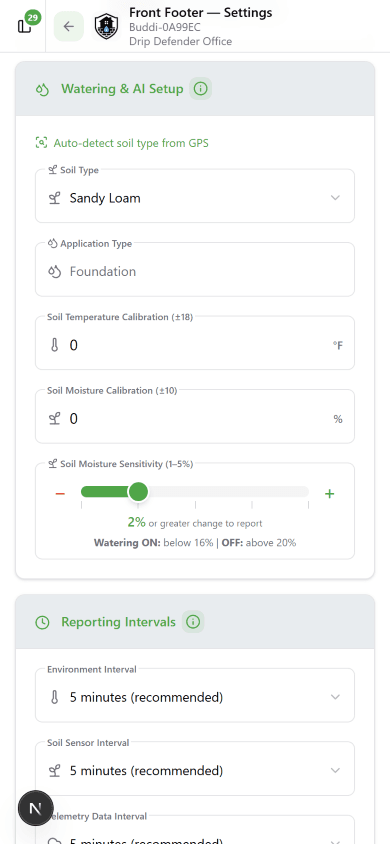
Go to Device Settings → Watering & AI Setup and configure two fields before enabling AI mode:
If either field has not been configured when you tap to enable AI mode, a setup prompt will appear guiding you through soil type and application type selection before AI activates.
Also available: Soil Temperature and Moisture Calibration offsets (±18°F / ±10%) and Soil Moisture Sensitivity (1–5% hysteresis band).
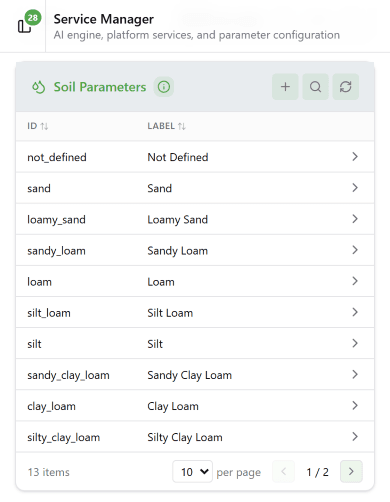
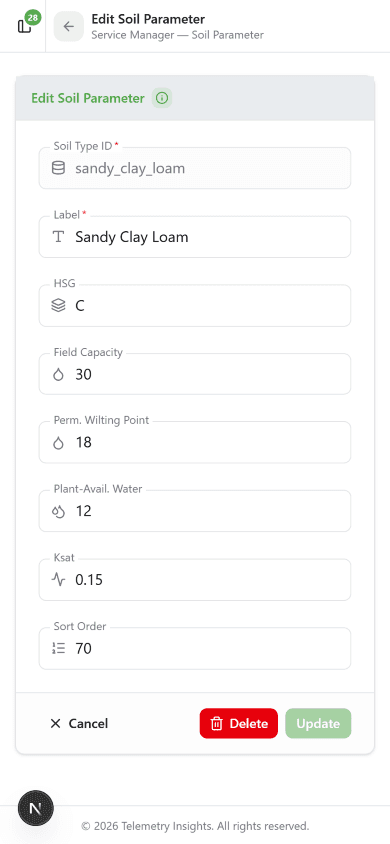
Soil Parameters
The AI uses USDA-NRCS hydraulic properties for each of 13 soil texture classes to compute the irrigation threshold. The three key values per soil type:
FC — Field Capacity
Moisture % the soil holds when full. The upper "stop watering" bound.
PWP — Wilting Point
Moisture % below which plants can't extract water. The danger floor.
PAW = FC − PWP
Plant-Available Water — the usable range the AI manages within.
Threshold Low = FC − (PAW × MAD) | Threshold High = FC × 0.95
Application Types
The application type tells the AI what you're irrigating and how conservatively to manage soil moisture. It sets the MAD (Management Allowed Depletion) — the fraction of plant-available water that can be consumed before irrigation triggers. Lower MAD = more frequent watering. Higher MAD = longer intervals. Water Buddi supports 47 application types across 9 segments.
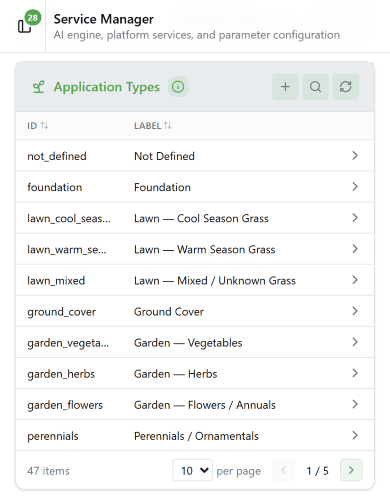
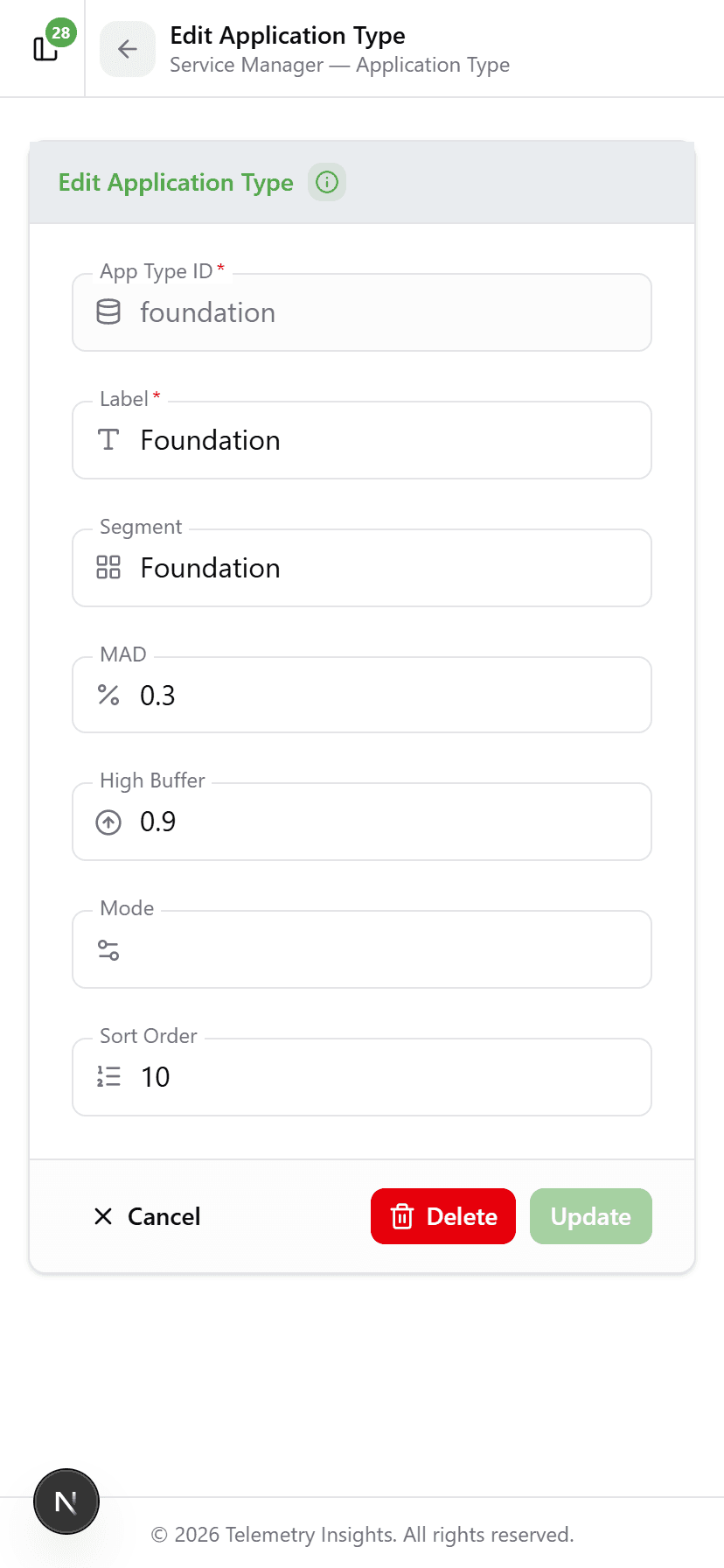
Foundation (MAD 0.30)
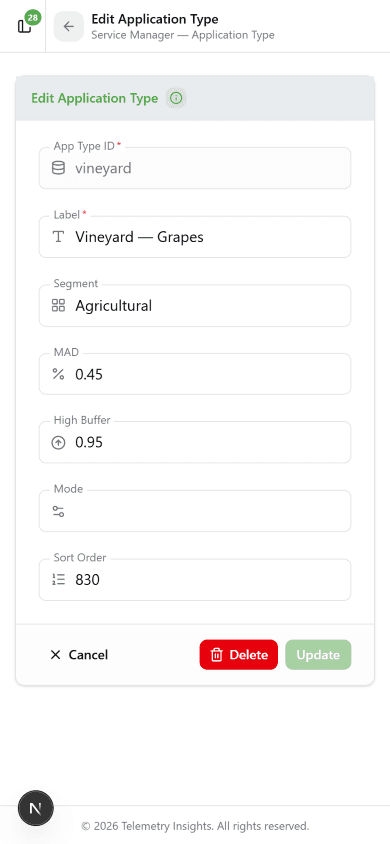
Conservatively moist at all times. Prevents shrink-swell cycles in expansive soils that cause foundation movement and structural cracking.Vineyard (MAD 0.45)
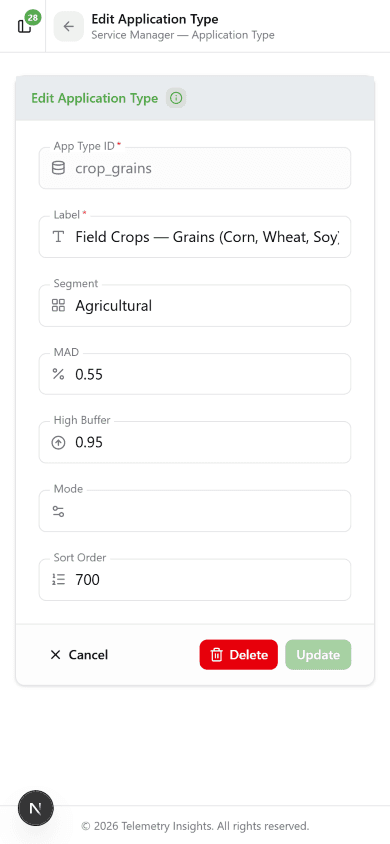
Mild deficit irrigation — intentional controlled water stress at the right growth stages improves grape concentration and wine quality.Field Crops — Grains (MAD 0.55)
Tolerates moderate depletion. Seasonal Kc multipliers adjust water demand automatically from 0.20× in winter to 1.15× at summer peak.Weather Modifiers
Every night at 02:00 UTC the weather batch fetches a localized forecast for each device's GPS location, computes a Rain Propensity Score (RPS) from 0–100, and assigns one of four modifiers for the coming day.
Machine Learning Engine
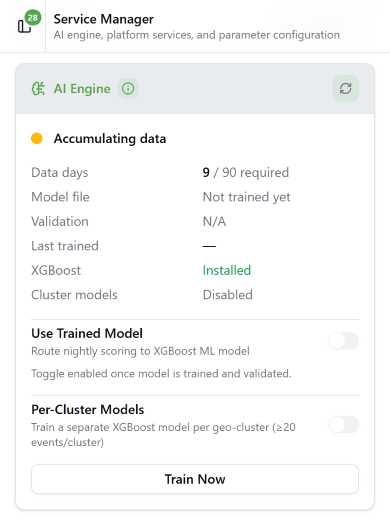
After 90 DaysFrom day one, every irrigation event is recorded — soil moisture, temperature, humidity, pressure, ET₀, and RPS at that exact moment. After 90 days this dataset trains an XGBoost gradient-boosted model tailored to your location.
Use Trained Model — when toggled on, nightly scoring uses the ML model instead of fixed RPS bands. Toggle off to revert instantly — no downtime, no code deploy.
Per-Cluster Models — trains a separate model per geographic cluster (≥20 events/cluster) to capture micro-climate variations not visible in regional forecasts.
Train Now — triggers immediate training outside the weekly schedule. Takes 1–3 minutes. LED turns green when a validated model is ready to activate.
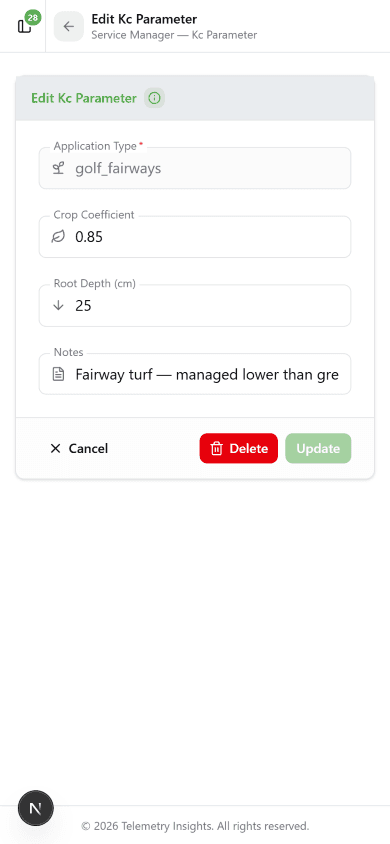
Crop Coefficients (Kc)
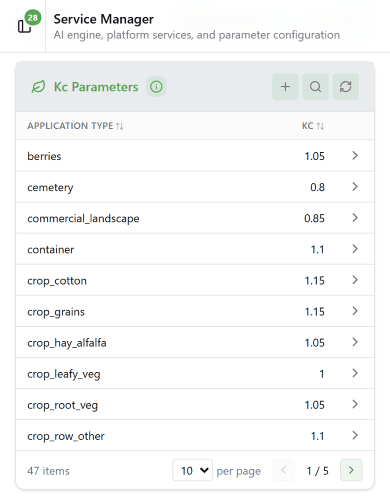
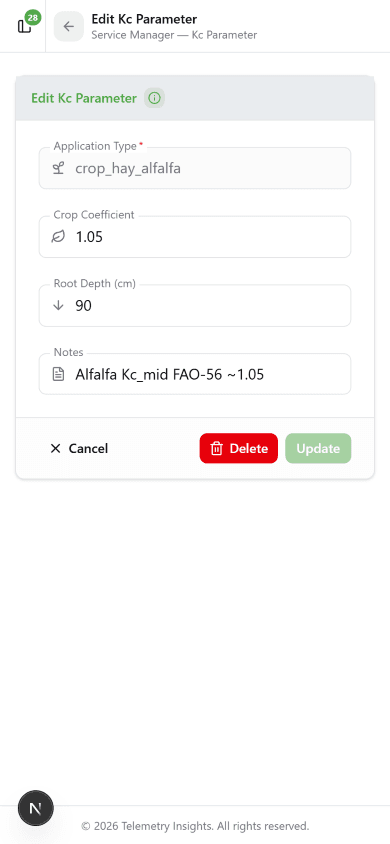
ET₀ measures atmospheric water demand — but a vegetable garden and a drought-tolerant shrub bed respond very differently to the same hot day. The crop coefficient (Kc) scales ET₀ to the actual water demand of each plant type (FAO-56 standard):
ET_actual = ET₀ × Kc | Kc range: ~0.40 (drought-tolerant) to 1.15 (high-demand crops)
Root depth (cm) is also stored per application type — it determines the soil water storage volume available to the plant, which scales BOOST adjustments so deep-rooted established trees aren't over-watered on hot days.
Seasonal Kc Multipliers
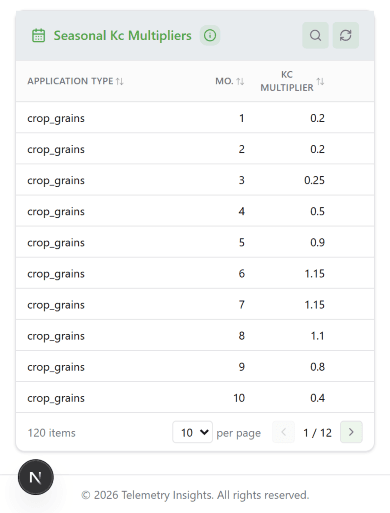
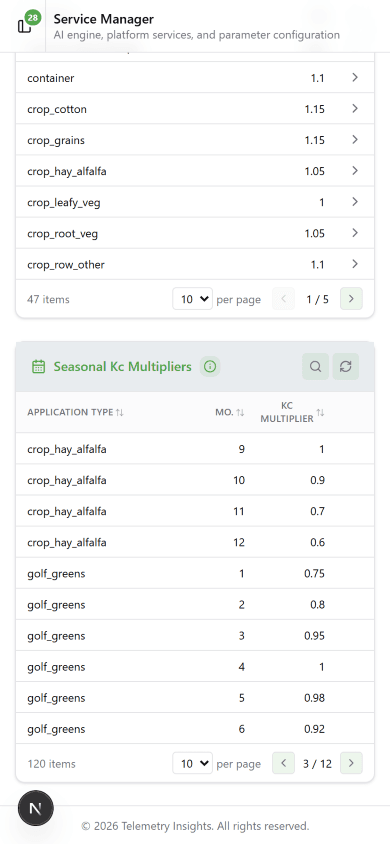
Agricultural crops have significant seasonal variation in water demand driven by growth stage. Monthly multipliers adjust the base Kc automatically:
Effective Kc = Kc_base × Kc_multiplier[month]
Example — Grains (base Kc 1.15): January multiplier 0.20 → effective Kc 0.23. June multiplier 1.15 → effective Kc 1.32 at summer peak. 120 monthly records cover all crop-type application types.
Soil Drift Alerts
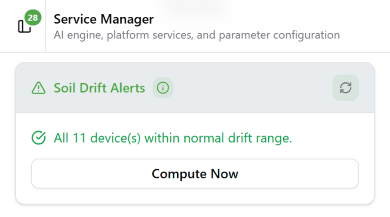
The system monitors every device for divergence between its configured soil type and observed irrigation behavior. If the actual moisture trigger point consistently differs from the AI threshold by more than 15% across at least 10 irrigation events, a drift alert is raised.
Common causes:
- Soil type doesn't match the actual texture at sensor depth
- Compost, mulch, or peat has changed water retention
- Sensor has shifted to a different depth
- Compaction or organic matter changes over time
To resolve: update the Soil Type in Device Settings. Compute Now runs an immediate drift check outside the nightly schedule.
Frequently Asked Questions
It rained — why did my device still water?
The weather batch runs at 02:00 UTC using tomorrow's forecast. SUPPRESS prevents irrigation when rain is predicted — it doesn't respond to rain that already fell. Tonight's batch will reflect what happened.
What does "No weather adjustment" mean?
Your device received the NORMAL modifier — no significant rain or extreme heat forecast. Base threshold is used unchanged. Most common daily state.
The threshold feels wrong for my plants. What should I try?
First try a different Application Type — that drives MAD and how conservative the threshold is. If you need full control, switch to Threshold mode and set a moisture % manually.
When does the machine learning model activate?
After a minimum of 90 days of irrigation event data. Training is automatic. Support staff review and activate it — expect 3–4 months from installation.
What is ET₀ and why does it matter?
ET₀ (reference evapotranspiration) measures atmospheric water demand in mm/day. A hot, sunny, windy day pulls far more moisture from soil than a cool cloudy one. The AI uses ET₀ × Kc to scale BOOST adjustments to your specific plant type's actual water demand.
Can I use AI mode on both Drip Defender and Water Buddi?
Yes. Drip Defender is locked to the Foundation application type. Water Buddi supports all 47 application types across Lawn, Garden, Trees, Golf, Sports, Commercial, and Agricultural categories.