
Payments, Billing & Returns
Everything you need to know about paying for hardware and subscriptions, managing your billing, downloading invoices, and returning a product. All payments are processed securely through Stripe.
Accepted Payment Methods
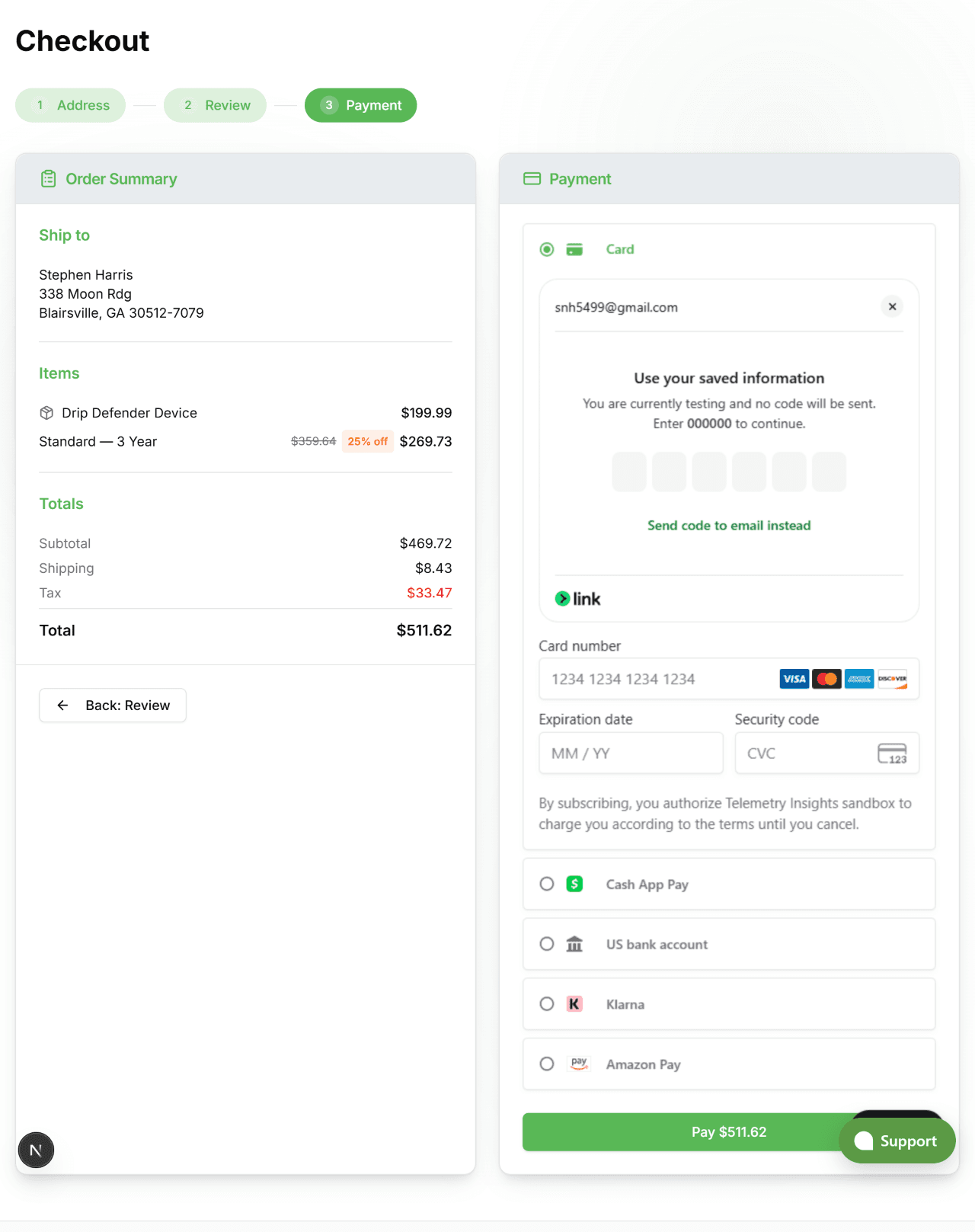
We accept the following payment methods at checkout. All are processed securely by Stripe — your card details are never stored on our servers.
Credit & Debit Cards
Visa, Mastercard, American Express, and Discover. Enter your card number, expiry date, and CVC at checkout.
Apple Pay
Available when using Safari on iPhone, iPad, or Mac with a card saved in Apple Wallet. Tap to pay with Face ID or Touch ID.
Google Pay
Available when using Chrome with a card saved in your Google account. One tap to confirm payment.
Coupon Codes
Enter a promo or discount code on the Payment step of checkout. The discount is applied to the order total before payment.
Subscription Billing
Subscription plans renew automatically at the end of each billing period. You choose your billing interval at purchase — monthly, yearly, or 3-year.
| Interval | Billed | Savings |
|---|---|---|
| Monthly | Every month | — |
| Yearly | Once per year | Save 10% |
| 3-Year | Every 3 years | Save 25% |
Upgrading or downgrading
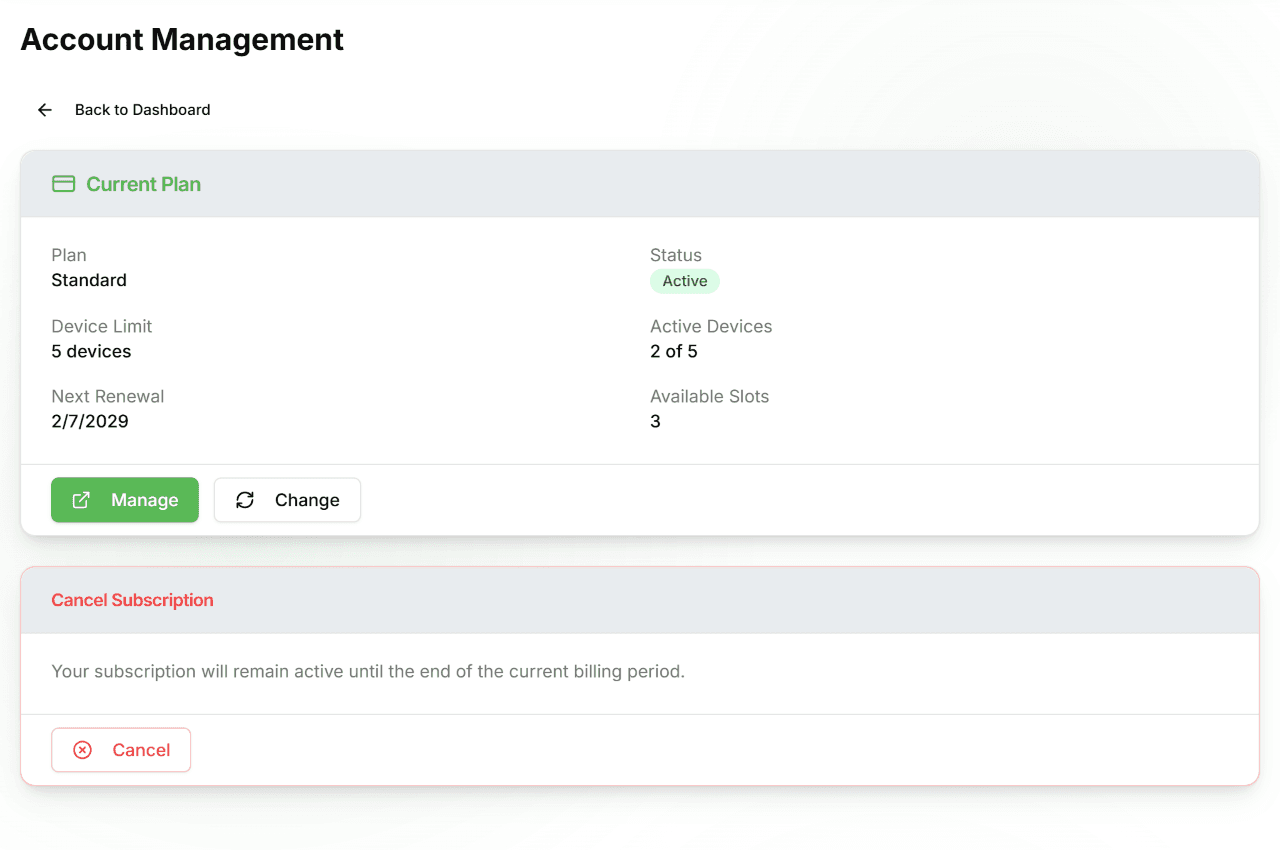
Go to Account → Subscription → Change. Upgrades take effect immediately; the difference in cost is prorated for the remainder of your billing period. Downgrades take effect at the next renewal date.
Cancelling
Go to Account → Subscription → Cancel. Your subscription remains active until the end of the current billing period — monitoring continues until that date. You will not be charged again after cancellation.
Switching billing interval
Use Change on the Subscription page to switch from monthly to yearly or 3-year billing. The new interval takes effect at your next renewal.
Invoices & Receipts
You receive two types of payment records:
Email receipts
A receipt is sent automatically to your account email address for every successful charge — both hardware orders and subscription renewals.
Invoice download (Stripe portal)
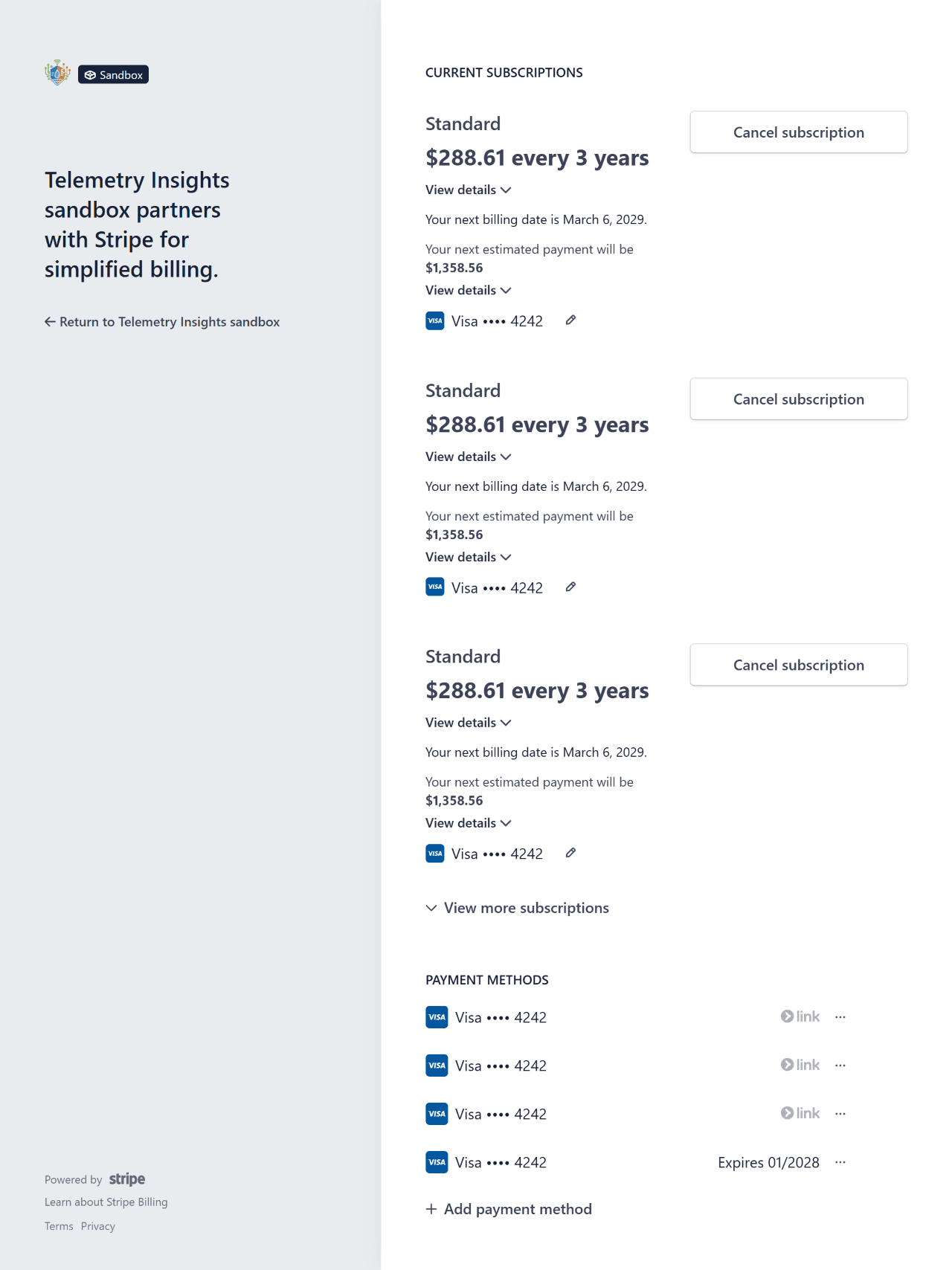
Full PDF invoices for all past charges are available in the Stripe billing portal. Go to Account → Subscription → Manage to open the portal. From there you can download invoices, view your full billing history, and update your billing address.
Order shipping label
Hardware orders include a shipping label PDF available from Account → Orders. Open an order row and click Download PDF.
Failed Payments
If a subscription renewal payment fails, Stripe automatically retries the charge over the following days. Here is what to expect:
- Email notification — you receive an email immediately when a payment fails with a link to update your payment method.
- Automatic retries — Stripe retries on day 3, day 5, and day 7 after the initial failure.
- Subscription pause — if all retries fail, your subscription is paused. Monitoring, alerts, and live data stop for your devices until payment is resolved.
- Reactivation — update your payment method at Account → Subscription → Manage and the subscription resumes immediately.
Updating Payment Info
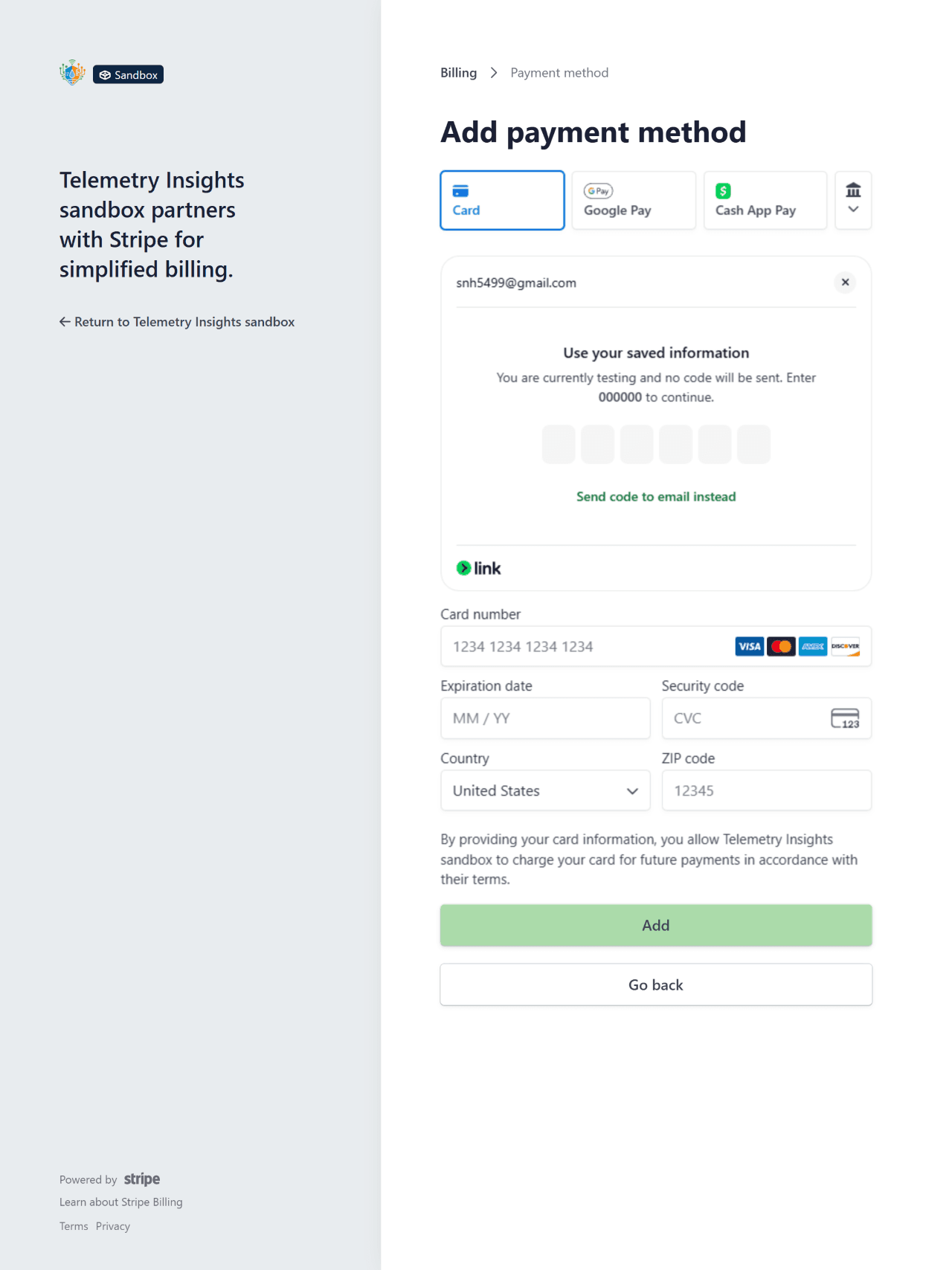
To update your credit card, add a new payment method, or change your billing address:
- Sign in at telemetryinsights.com/login.
- Go to Account → Subscription.
- Click Manage to open the Stripe billing portal.
- In the portal, select Payment methods to add a new card or set a default.
Changes take effect immediately. Your next renewal will be charged to the updated payment method.
Returns & Refunds
Hardware returns — 30-day window
Physical devices may be returned within 30 days of delivery for a full refund, provided the item is in its original condition and packaging. To start a return:
- Contact support with your order number and reason for return.
- We will provide a return shipping label by email.
- Pack the device in its original packaging and drop it off with the carrier.
- Once received and inspected, the refund is issued to your original payment method within 5–10 business days.
Defective or damaged items
If your device arrives defective or is damaged in transit, contact support within 30 days with photos. We will arrange a replacement or full refund at no additional cost — return shipping is covered by us.
Subscription refunds
Subscription charges are non-refundable once a billing period has started. If you cancel, your subscription remains active until the end of the period you have already paid for — you will not be charged again. If you believe you were charged in error, contact support and we will review your case.
Refund timeline
Refunds are issued to the original payment method. Processing time after we initiate the refund:
- Credit / debit card — 5–10 business days
- Apple Pay / Google Pay — 5–10 business days (to the linked card)
Need help with a payment or return?
Our support team is here to help. Reach out and we'll get back to you within one business day.